API keys
API (the screen heading is SUM-IT API) is where you create and manage access keys so another system can connect to SUM-IT. Turn on the SUM-IT API module under Apps & Modules before you create a key.
What you can do
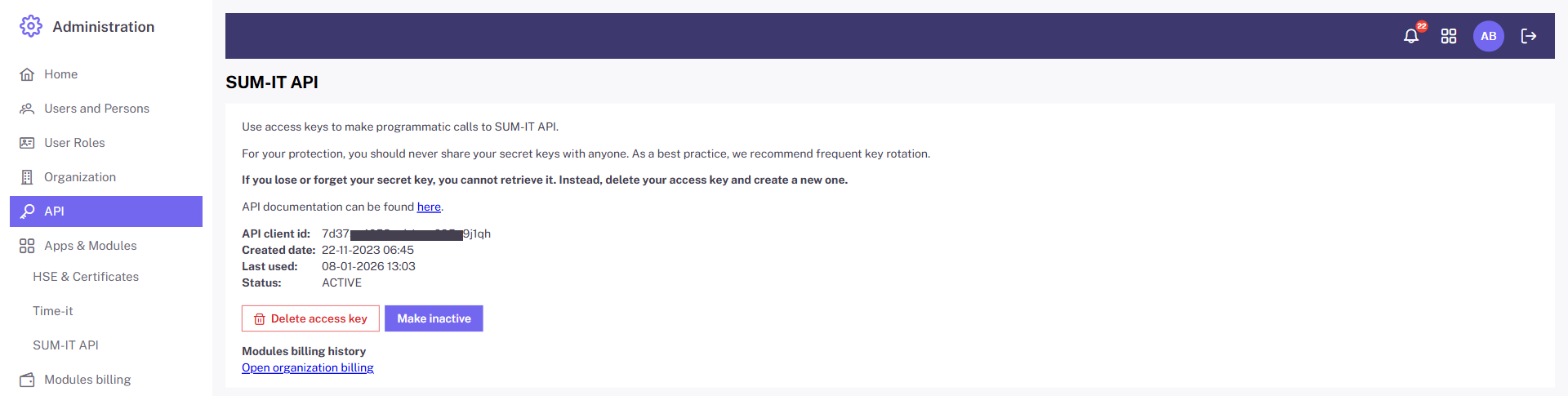
- The page shows the current access key, including its API client id and whether it is ACTIVE. Click Create access key () when no key exists yet. Creating a key happens immediately; the dialog then shows the secret once. Copy it and store it safely. If you lose it, you cannot view it again; you have to delete the key and create a new one. The dialog button is Close (it only dismisses the secret dialog). The API client id on the page is the key’s public identifier; it is not the secret.
- Click Delete access key to remove the key, then confirm by typing the client id.
- Click Make inactive if you want to turn the key off without deleting it. Click Make active to turn an inactive key back on. An inactive key cannot be used until you activate it again.
Permissions
You need the API Edit permission to open this screen and manage keys.